How to Order from the Official BTY Advance Website
Ordering from mobile?
Watch this video tutorial to order through your phone!
Watch Video Tutorial Here
Have you ever found a BTY Advance product you want to try, but not sure how to order it from the website?
We know that when you're busy, you want the ordering process to be simple and easy to understand.
In this guide, we'll walk you through how to order from the official BTY Advance website.
Ready to place your first BTY Advance order? Let's get started!
Is This the Official BTY Advance Website?
Yes. btyadvance.com is the only official BTY Advance website.
Good news! Our website is available in the Philippines, Taiwan, and the UAE, making it easier for you to shop wherever you are.
How to Order from the BTY Advance Website
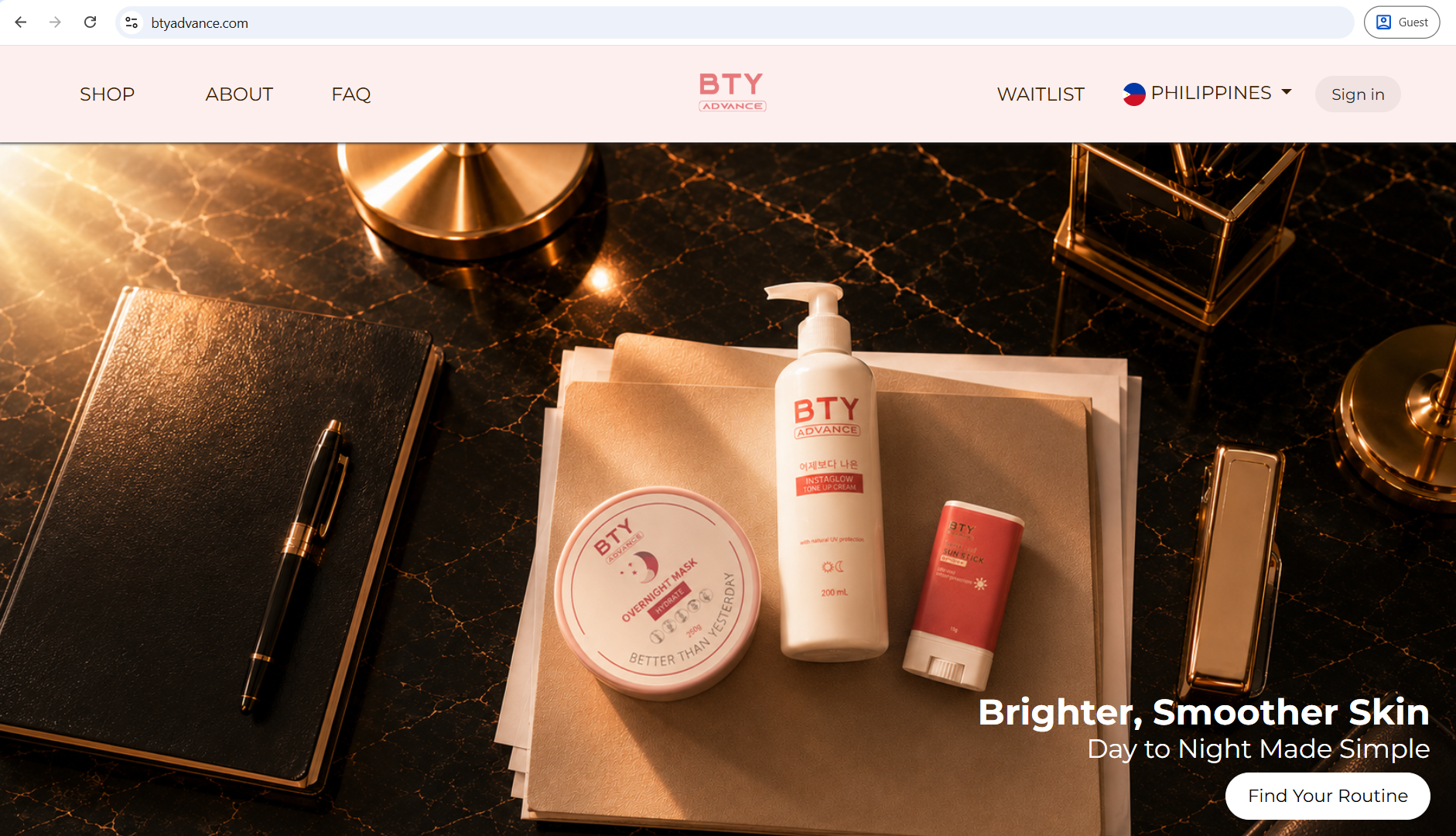
Step 1: Visit the BTY Advance Website
Start by visiting btyadvance.com.
You can search for BTY Advance on Chrome or enter the website address directly in your browser.
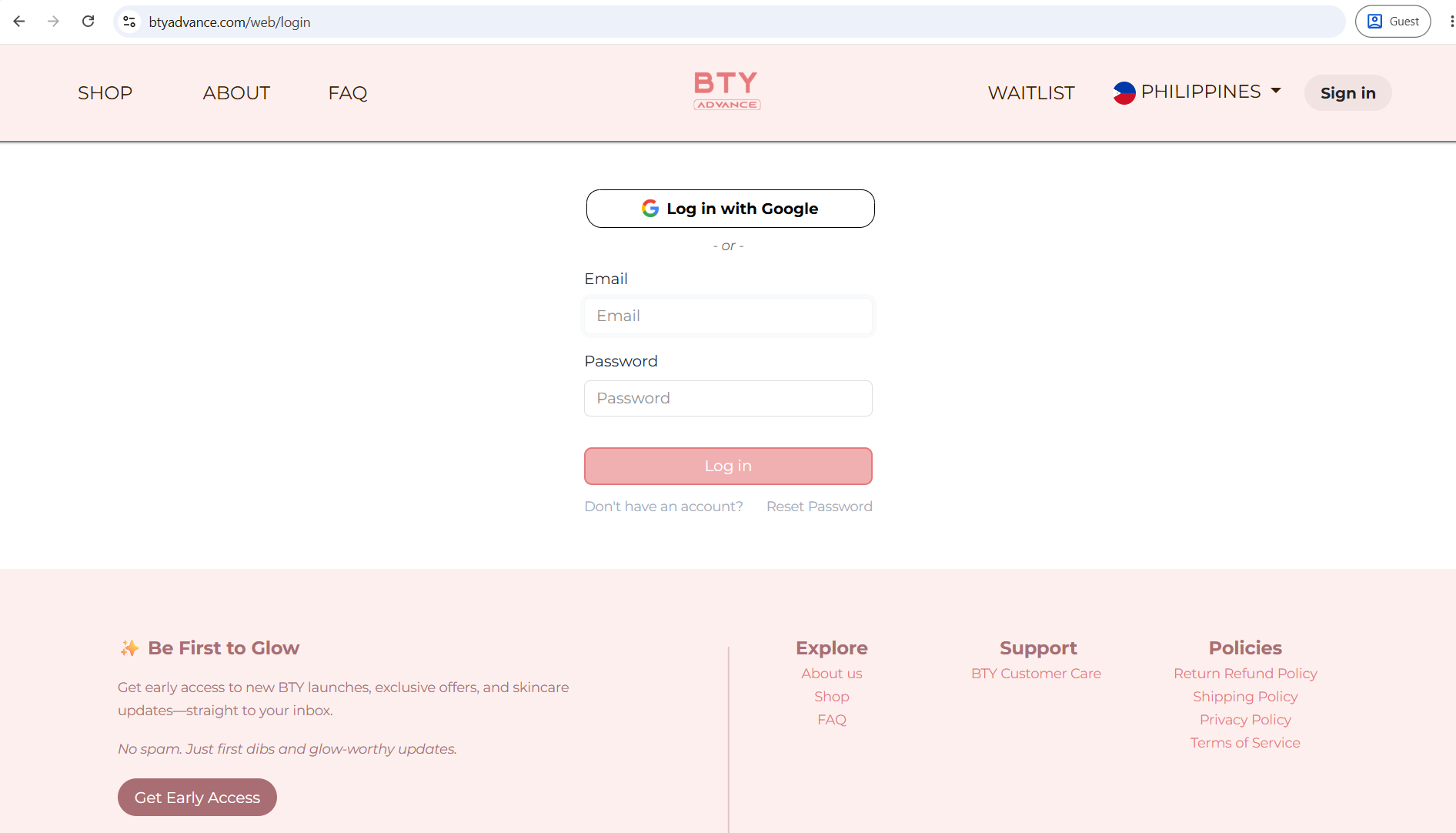
Step 2: Sign In with Google
Once you are on the website, sign in using your Google account.
Signing in makes it easier to continue with your order and check your order later.
Step 3: Tap SHOP
After signing in, tap SHOP on the website menu.
This will take you to the BTY Advance products available for you to browse.
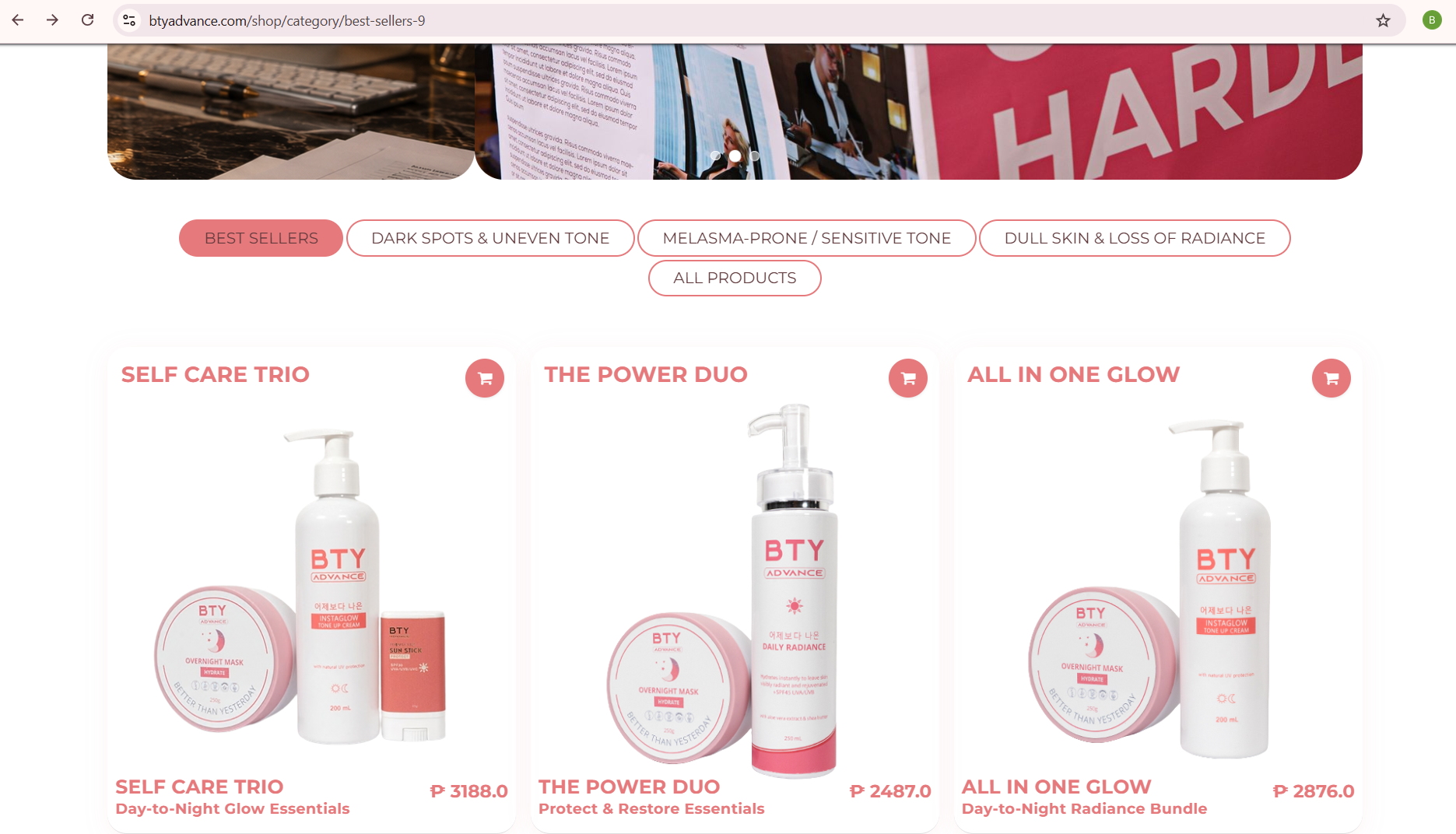
Step 4: Choose Your BTY Advance Product
Once you are in the shop, choose the product you want to order.
BTY Advance offers different skincare products and sets, such as:
Not sure which BTY Advance product is right for you?
You can also visit our BTY Advance Journal to learn more about our products and how they can fit into your skincare routine.
We have guides covering different skin concerns, including melasma, pekas, uneven skin tone, visible veins, and other common skincare concerns.

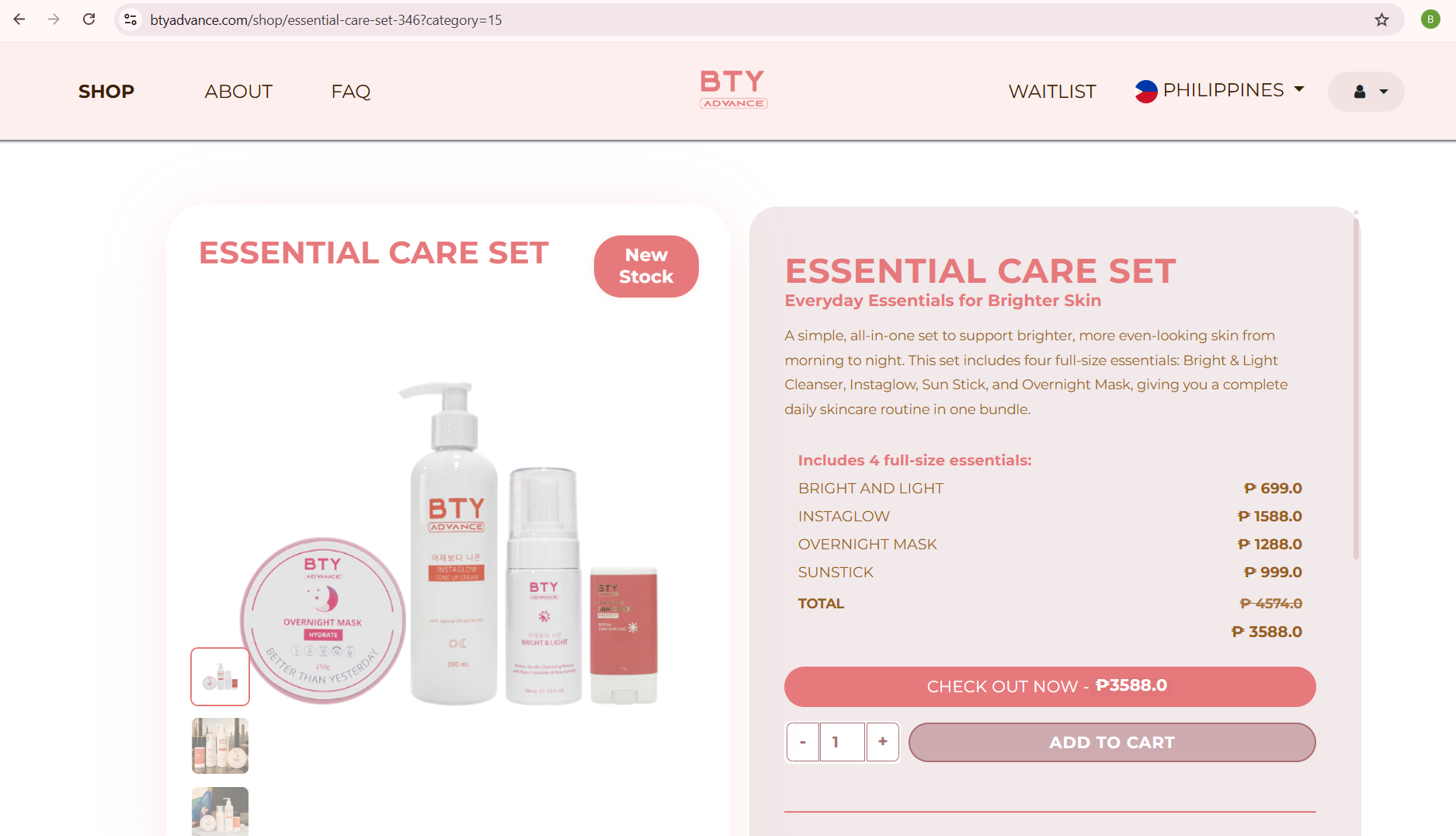
Step 5: Tap CHECK OUT NOW
When you are ready to order, tap CHECK OUT NOW on the product page.
This will take you to the next step, where you can enter your delivery information.
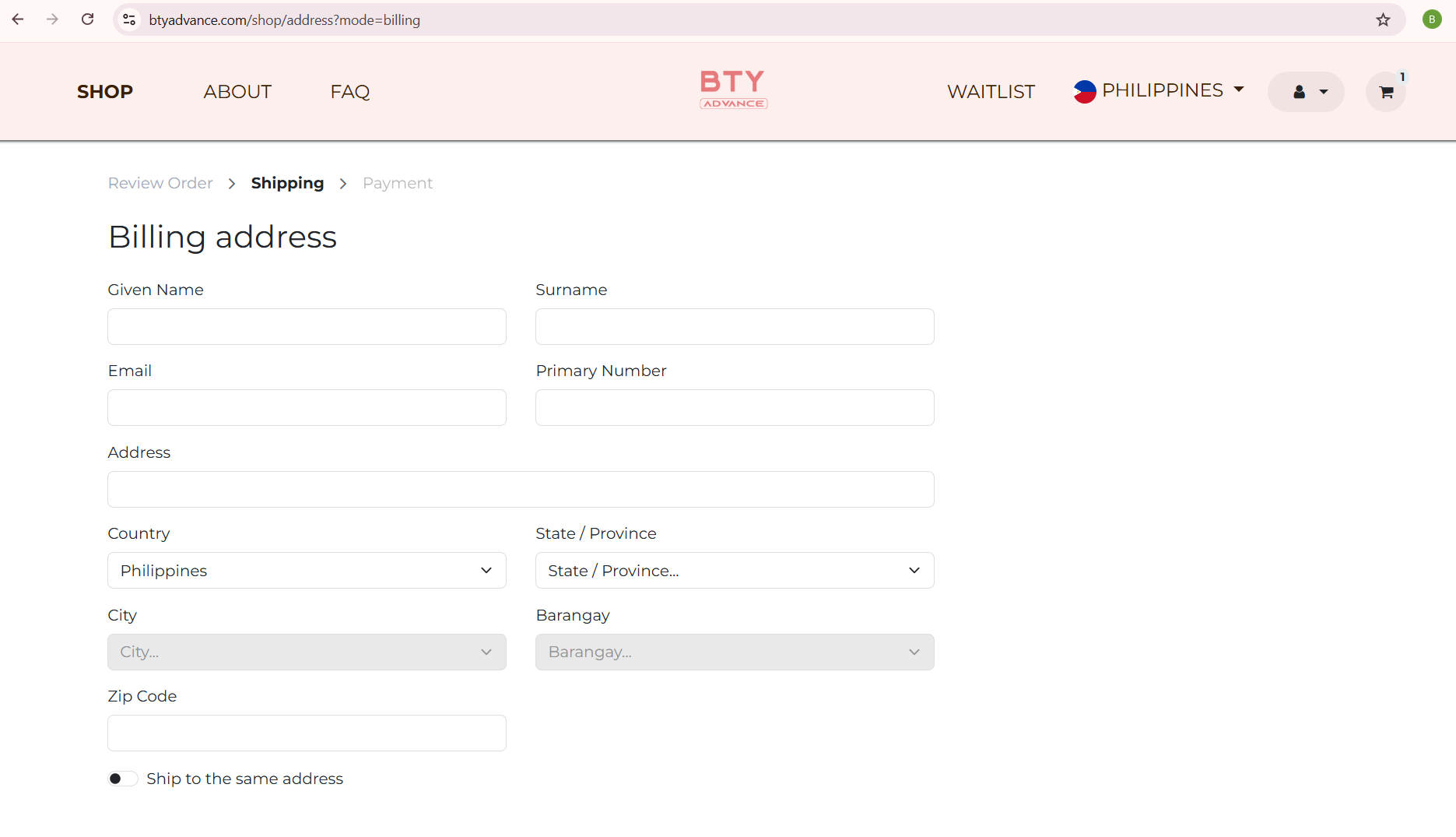
Step 6: Fill In Your Delivery Information
Next, fill in the information needed for your order.
Make sure your details are correct, especially your:
- Full name
- Mobile number
- Delivery address
- City or area
- Country
- Other information requested on the form
Important: Make sure you select the correct country. Your country determines the prices, currency, and discounts that apply to your order.
If you are an OFW in the UAE or Taiwan, use the delivery details of the person who will receive the package.
A wrong address or phone number may cause delivery delays, so take a moment to double-check your details before continuing.
Step 6: Fill In Your Delivery Information
Next, fill in the information needed for your order.
Make sure your details are correct, especially your:
- Full name
- Mobile number
- Delivery address
- City or area
- Country
- Other information requested on the form
Important: Make sure you select the correct country. Your country determines the prices, currency, and discounts that apply to your order.
If you are an OFW in the UAE or Taiwan, use the delivery details of the person who will receive the package.
A wrong address or phone number may cause delivery delays, so take a moment to double-check your details before continuing.
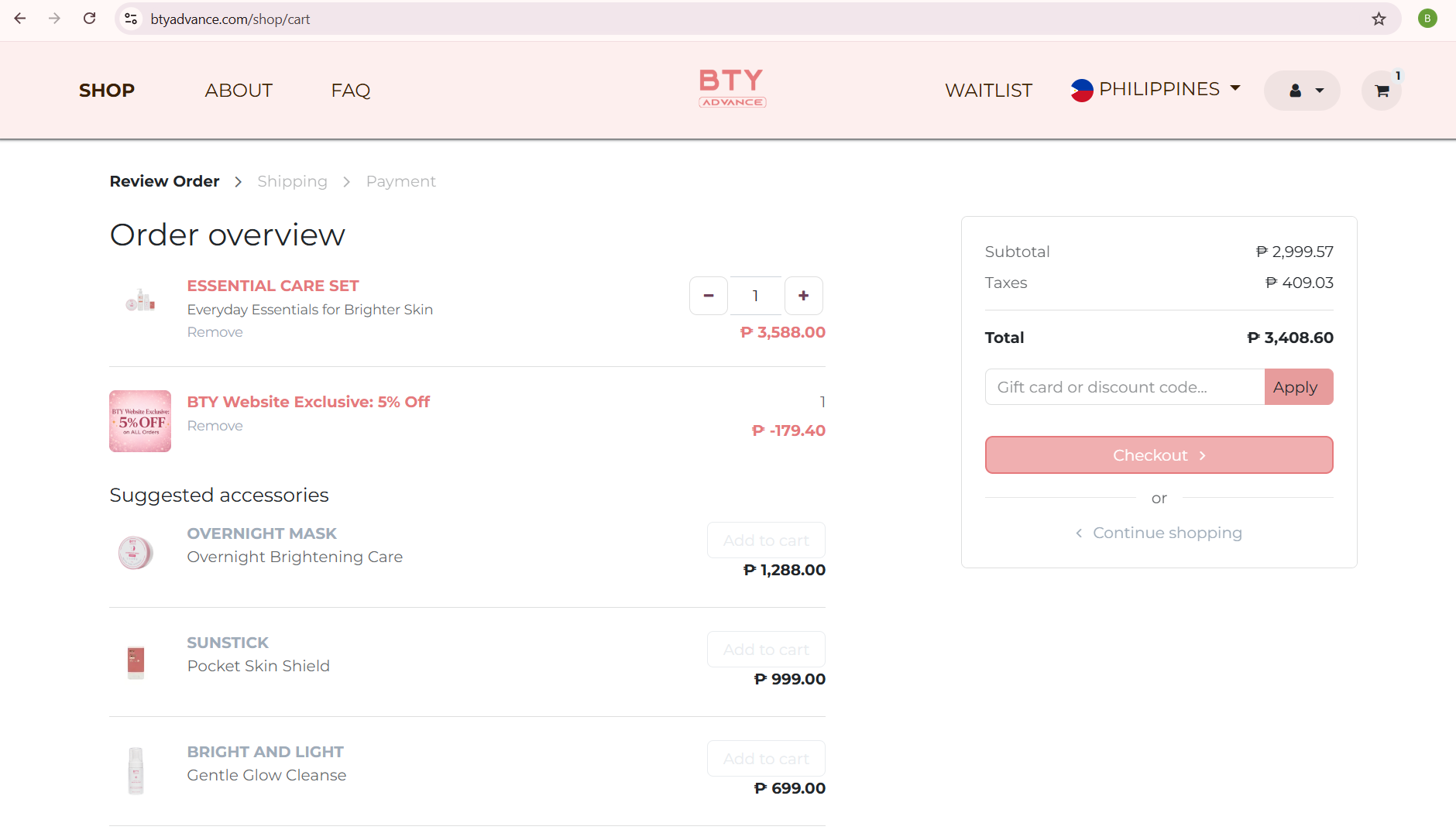
Step 7: Check Your Discount
Before you confirm your order, check your order summary.
Any available discount will be applied to your order automatically.
If you have a coupon code, you can also enter it here.
Take a moment to check that your discount has been applied before you continue.
Step 8: Confirm Your Order
Almost done!
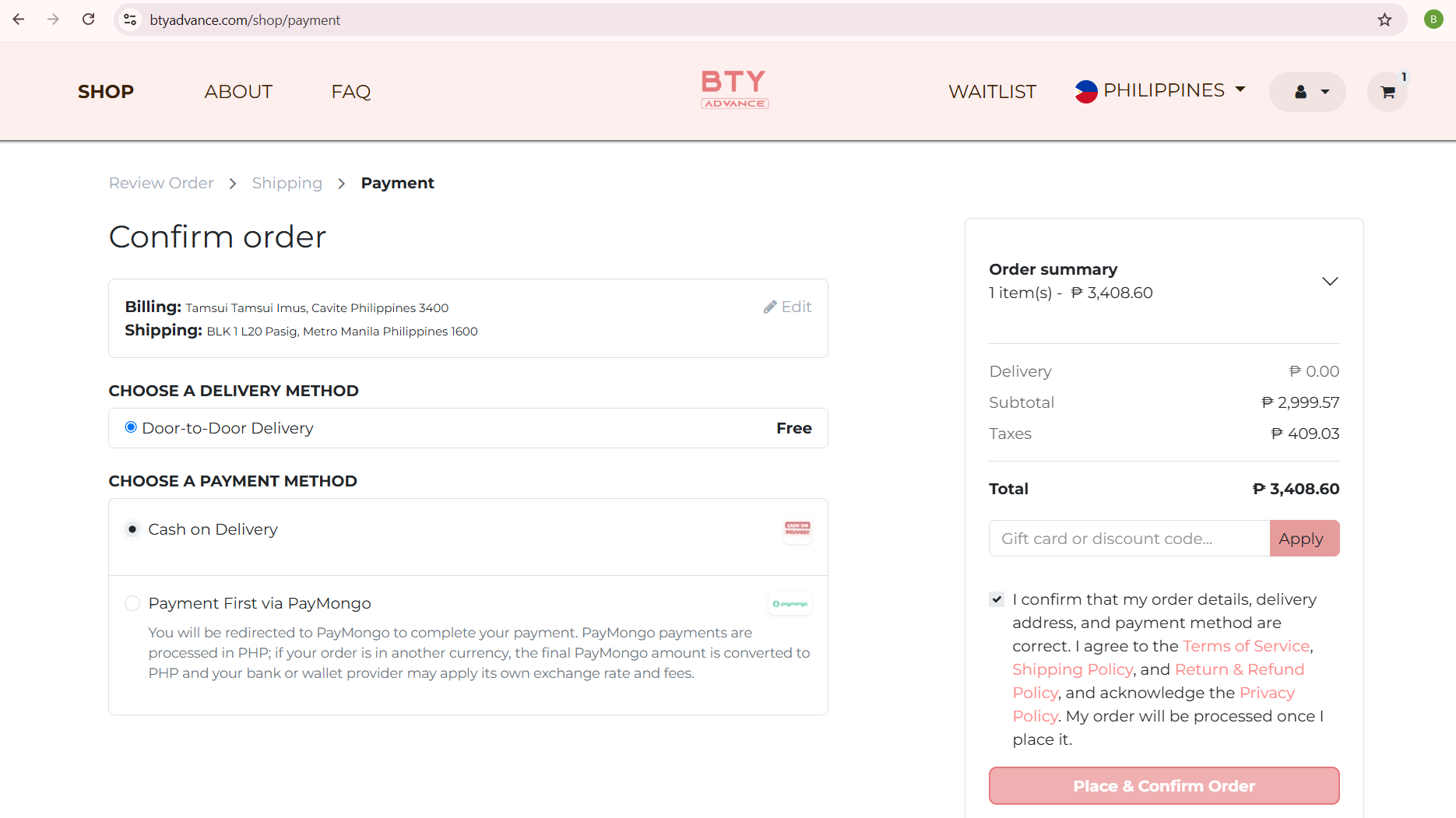
Review your order one more time and make sure your product, delivery address, and payment details are correct.
Tick the confirmation box to confirm that your order and delivery details are correct and that you agree to the Terms of Service, Shipping Policy, Return & Refund Policy, and the Privacy Policy.
Then, complete your order:
- If you are paying with Cash on Delivery, tap Place & Confirm COD Order. Your order is confirmed right away — no further action is needed.
- If you are paying online, tap Continue to Secure Payment and complete your payment. Your order is confirmed once your payment is successful.
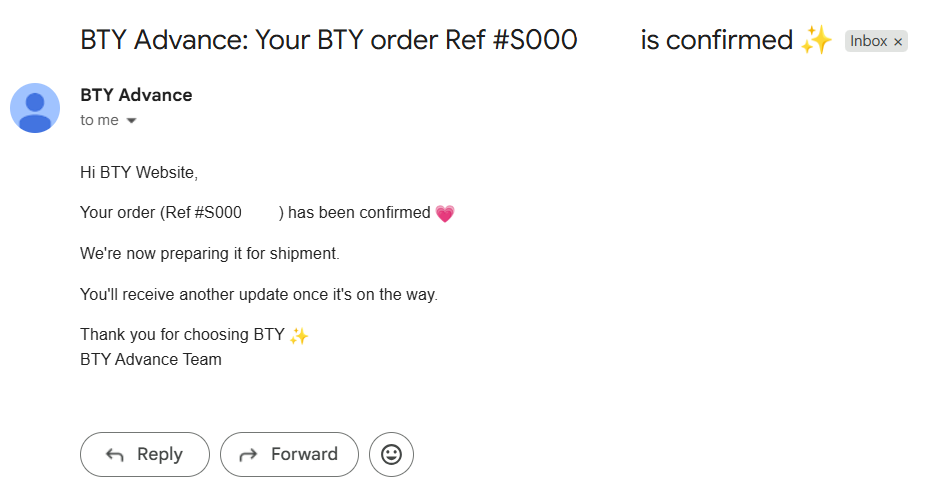
Your BTY Advance Order Is Confirmed!
That's it! Your BTY Advance order has been placed and confirmed.
You will receive a confirmation email with your order number, order status, and payment method.
Please keep your phone reachable in case BTY Customer Care needs to contact you about your delivery.
Does BTY Advance Ship Internationally?
Yes. BTY Advance ships both locally and internationally, including selected countries where fulfillment partners are available.
Shipping availability and delivery times can vary depending on your location.
For international orders, check the shipping information shown during checkout before completing your purchase.
For OFWs
If you are a Filipino working abroad, such as in the UAE or Taiwan, make sure you select the correct country and enter your current delivery address.
The BTY Advance website lists the United Arab Emirates and Taiwan among its available regional markets.
How Long Does BTY Advance Delivery Take?
Delivery time depends on your country, location, and order.
BTY Advance currently provides the following estimates:
UAE
- Dubai, Sharjah, Ajman, UAQ, and Fujairah: 2–3 days
- Abu Dhabi city: 2–4 days
- Abu Dhabi remote areas: 10–15 days, plus a possible remote-area fee
Taiwan
- Orders are processed daily.
- Parcels usually arrive at partner stores within 2–3 days.
Philippines
- Delivery time varies by location.
- Details are shown at checkout or shared after order confirmation.
These are estimates and can change because of weather, courier operations, and remote delivery locations.
Frequently Asked Questions
What is the official BTY Advance website?
The official BTY Advance website is btyadvance.com.
Customers can order BTY Advance products and shop online on our website.
How can I check my BTY Advance order?
After you place your order, we will send you an email with your order details.
We will also email you updates as your order is processed and shipped.
Please keep these emails, and check your spam or junk folder if you do not see them.
If you have any questions about your order, message BTY Customer Care and have your order number ready.
Can OFWs order BTY Advance products?
Yes. BTY Advance supports international shipping to selected countries.
The website also provides regional markets for countries including the UAE and Taiwan.
What if I enter the wrong information?
Contact BTY Customer Care as soon as possible and provide your order number.
Orders can be updated or cancelled before they are confirmed and shipped.
Once an order has been dispatched, it can no longer be modified or cancelled.
Ready to Order?
Ordering from the official BTY Advance website is simple.
Sign in, choose your product, tap CHECK OUT NOW, fill in your delivery information, check your discount, and confirm your order.
If you are from the UAE or Taiwan, make sure you select the correct country and delivery information before checkout.
Shop BTY Advance and start your routine today.